Tired of your gaming desk looking like a spaghetti monster? Untamed wires are a universal pain point for gamers, whether you're a casual player or a dedicated enthusiast. This comprehensive guide on how to hide gaming wires offers practical, actionable tips and tricks to transform your chaotic cable situation into a sleek, organized battlestation. Discover essential tools, smart routing techniques, and innovative solutions, from budget-friendly DIY options to more sophisticated wireless setups. We'll explore methods for managing everything from PC peripherals to console connections, ensuring your gaming space is not only visually appealing but also safer and more efficient. Elevate your gaming experience by creating a clutter-free zone that enhances focus and maximizes enjoyment. Learn how to reclaim your desk space and achieve the clean aesthetic you've always wanted, making your setup a true sanctuary.
What's the absolute first step to effective gaming wire management?
The very first step is to unplug everything and assess your current wire situation. Untangle, identify each cable, and group them by destination or type. This allows you to see what you're working with, eliminate unnecessary cables, and plan your routing strategy before you even think about hiding anything.
How can I hide wires without drilling or permanent modifications to my rented space?
For renters or those avoiding permanent changes, adhesive-backed cable clips, reusable zip ties, magnetic cable holders, and flexible cable sleeves are your best friends. These tools allow you to route wires discreetly along desk edges or wall bases without damage. Consider a standing desk with built-in trays or cable nets.
Are gaming monitor arm cables hard to hide, and what's the trick?
Monitor arm cables can be tricky, but most modern monitor arms include built-in cable management channels or clips. Route your display and power cables through these channels, then combine them with other desk cables using a sleeve or wrap. This keeps them tidy as they run down to your PC.
What's the best way to manage power strips and bulky power bricks?
Power strips and bricks are often the biggest culprits for visual clutter. Use a dedicated cable management box to enclose power strips, or secure them underneath your desk with adhesive mounts or screws. Mount bricks to the underside of your desk using Velcro straps or double-sided tape, ensuring proper ventilation.
How can I keep my gaming headset and controller charging cables tidy when not in use?
For charging cables, magnetic cable clips or small adhesive hooks attached to the side or underside of your desk are perfect. Wrap the cable neatly and secure it, leaving just enough slack. For headsets, a desk-mounted or adhesive headset stand keeps cables off the surface and provides a dedicated storage spot.
Is there a quick hack for hiding wires temporarily for guests or streaming?
When time is short, a quick hack involves using temporary cable ties or Velcro straps to bundle visible wires together. Then, strategically place a decorative plant, a gaming peripheral, or even a small art piece in front of the most prominent cable clusters. This provides an immediate visual improvement for short-term needs.
What are the long-term benefits of investing time into robust gaming cable management?
Beyond aesthetics, robust cable management offers several long-term benefits. It improves airflow around your components, potentially extending their lifespan, and makes cleaning easier by reducing dust traps. It also simplifies troubleshooting and upgrades, prevents tripping hazards, and creates a more focused, stress-free gaming environment, enhancing overall well-being and immersion.
Hey fellow gamers! Ever looked at your meticulously chosen gaming rig or console setup and felt a pang of frustration at the spaghetti monster lurking beneath your desk? You're not alone. In 2026, where an impressive 87% of US gamers regularly dive into virtual worlds, often spending 10+ hours a week, a clean and functional gaming space is more than just aesthetics; it's a sanctuary. For many of us, balancing demanding jobs, family life, and a passion for gaming means every moment in front of the screen is precious. The last thing we need is a tangled mess of cables distracting us, hindering airflow, or worse, becoming a tripping hazard. We want relaxation, fun, and optimal performance without the hype, and that starts with a tidy environment.
This guide is crafted for the modern gamer – those of us around the average age of 36, who appreciate value for money, skill-building, social play, and staying current without being swept up in fleeting trends. We're here to tackle one of the most common pain points: the dreaded cable clutter. We'll show you exactly how to hide gaming wires effectively, turning your chaotic battle station into a streamlined command center that looks great, performs better, and supports your balanced gaming lifestyle. Let's get those cables tamed and reclaim your gaming peace.
Why Should Gamers Bother Hiding Wires Anyway?
Beyond the obvious aesthetic improvements, hiding your gaming wires offers a host of practical benefits that directly impact your gaming experience and hardware longevity. First, a clean setup reduces visual clutter, which can significantly enhance your focus and immersion during those critical gaming moments. For busy adults who use gaming to unwind, a serene environment free from distractions is invaluable. Second, proper cable management improves airflow around your PC components and consoles, helping to prevent overheating and potentially extending the lifespan of your expensive gear. Think about it: tangled cables can block vents, trapping heat. Thirdly, it drastically reduces dust accumulation, making cleaning your setup much easier. Lastly, and perhaps most importantly for households with kids or pets, it eliminates tripping hazards and prevents accidental disconnections or damage to your cables and equipment, ensuring a safer and more reliable gaming experience.
What Are the Best Tools for Effective Gaming Cable Management?
You don't need a professional installer to get a clean setup; just the right tools! Investing in a few key items will make hiding your gaming wires a breeze. Here are the essentials:
Reusable Velcro Cable Ties: These are gold. Unlike single-use zip ties, Velcro straps allow for easy adjustments and additions, perfect for gamers who frequently tweak their setups or upgrade peripherals. They come in various lengths and can bundle multiple cables efficiently.
Adhesive Cable Clips and Holders: Ideal for routing individual cables along desk edges, wall bases, or under surfaces. Look for strong adhesive options that won't damage your furniture. Magnetic clips are also fantastic for metal desks or surfaces.
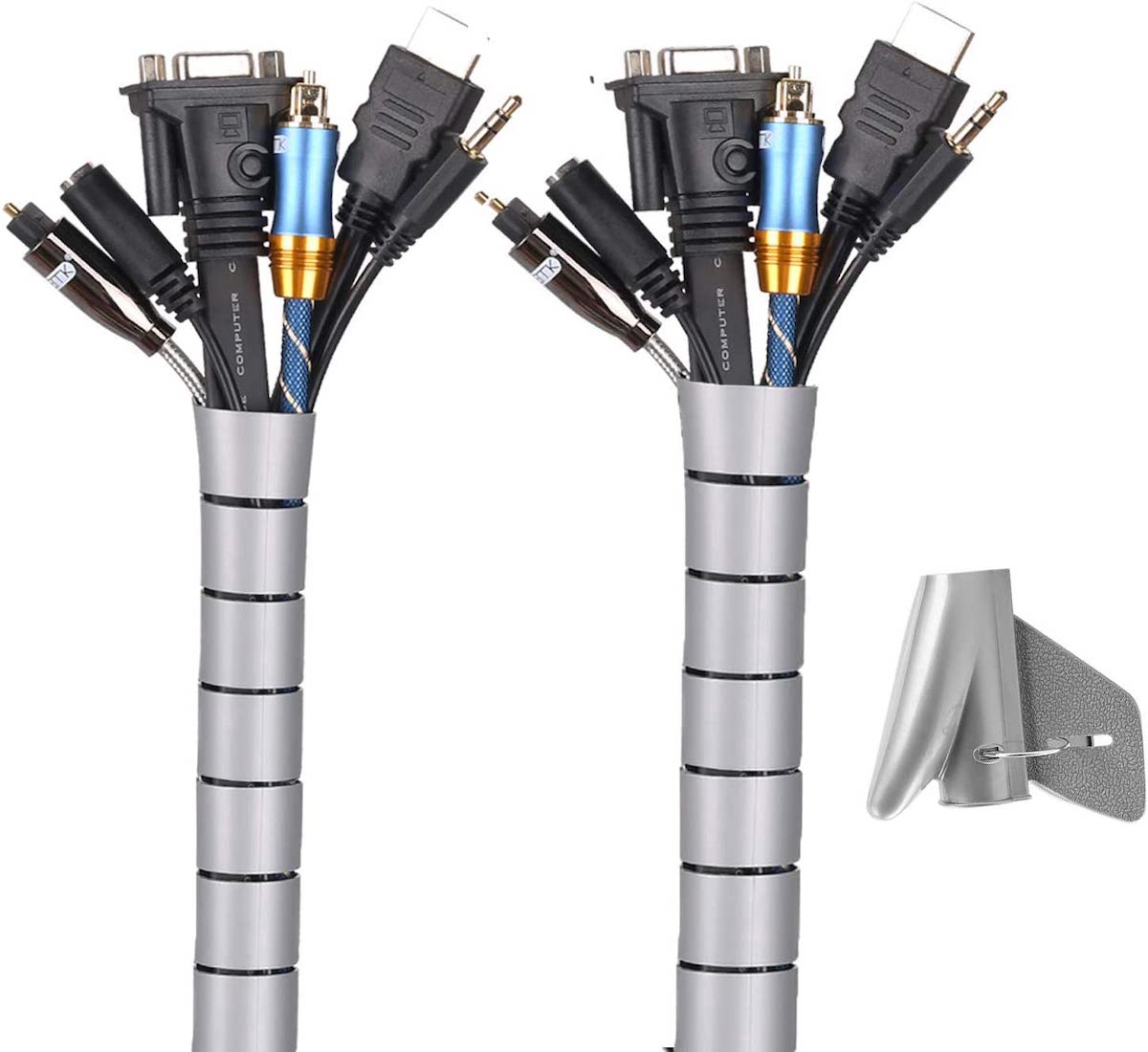
Cable Sleeves and Wraps: For bundling multiple cables together into a single, neat tube. These come in various materials (neoprene, braided fabric, spiral wrap) and instantly transform a mess of wires into a single, manageable strand. This is particularly useful for cables running from your PC to your monitor or power outlet.
Cable Management Box: A must-have for power strips and bulky power bricks. These boxes enclose the entire power strip, hiding unsightly outlets and excess cable slack, giving your floor or desk a significantly cleaner look.
Under-Desk Cable Tray or Net: Perfect for catching and organizing all the cables that run from your PC or console to your peripherals and power. These trays or nets attach to the underside of your desk, keeping cables completely out of sight and off the floor.
Double-Sided Tape (heavy-duty): Useful for mounting power bricks or light components directly to the underside of your desk. Ensure it's strong enough for the weight.
How Can I Hide Wires Behind My Gaming Desk Effectively?
The area behind your desk is usually the biggest challenge. Start by unplugging everything and identifying each cable. Then, follow these steps:
Plan Your Route: Group similar cables together (e.g., monitor cables, PC peripheral cables, power cables). Decide where each bundle will run to minimize crossings.
Secure Power Strips: Mount your power strip to the underside of your desk using screws, heavy-duty double-sided tape, or a dedicated cable management box. This gets it off the floor and out of sight.
Use Cable Trays/Nets: Install an under-desk cable tray or net. This is where the bulk of your bundled cables will live, keeping them off the floor and creating a clean aesthetic from the front.
Bundle Cables with Sleeves/Velcro: Use cable sleeves to bundle groups of cables that travel together (e.g., all monitor cables, or all PC cables going to the power strip). Secure these bundles in your cable tray or along the desk frame using Velcro ties.
Route Individual Cables: For cables that branch off (like a mouse or keyboard cable), use adhesive cable clips to route them neatly along the underside or back edge of your desk to their destination. Keep them taut but not strained.
Mind Your Monitor Arms: If you use monitor arms, feed your display and power cables through their integrated cable management channels. Then, combine these with other desk cables as they descend towards your PC.
Are Wireless Peripherals Truly Better for a Clean Gaming Setup?
Absolutely, yes! Wireless peripherals have come a long way, and in 2026, their performance rivals, and often surpasses, their wired counterparts for most gamers. Investing in a high-quality wireless mouse, keyboard, and headset is arguably the most impactful step you can take to drastically reduce visible cables. You eliminate three major wire culprits instantly. Modern wireless technology, like low-latency 2.4GHz connections, offers incredible responsiveness, making them suitable even for competitive play. While you'll still need to charge them periodically, this is a minor inconvenience compared to the permanent clutter of wires. It frees up your desk space, makes cleaning easier, and provides unparalleled flexibility in your setup arrangement. For gamers who enjoy mobile gaming alongside their PC/console, a wireless setup can also seamlessly transition between devices.
What Are Common Mistakes to Avoid When Organizing Gaming Cables?
Even with the best intentions, it's easy to make mistakes that can hinder your cable management efforts or even damage your gear. Here are some pitfalls to steer clear of:
Over-Tightening Zip Ties: While zip ties are effective, over-tightening them can damage internal wires or put strain on ports. Opt for reusable Velcro ties instead, or if using zip ties, ensure they're snug but not constricting.
Not Leaving Slack: Always leave a little bit of slack in your cables. Tightly pulled cables can become strained, leading to premature wear, connectivity issues, or even pulling devices off your desk. This also makes it harder to move components for cleaning or upgrades.
Blocking Vents: Be mindful not to route cables directly over the vents of your PC, console, or power bricks. This restricts airflow and can lead to overheating, shortening component lifespans. Ensure cables are clear of any cooling zones.
Mixing Power and Data Cables Too Closely: While not always an issue, sometimes routing power cables too close to unshielded data cables can introduce electromagnetic interference (EMI), potentially affecting signal quality for monitors or audio. Try to keep them separate where possible, especially for long runs.
Not Labeling Cables: When you have many peripherals, it's easy to forget which cable belongs to which device. A simple label maker or even colored electrical tape can save you headaches during troubleshooting or when rearranging your setup.
Ignoring Future Needs: Don't plan your cable management so rigidly that adding a new peripheral or upgrading a component becomes a nightmare. Try to leave some room for expansion and use flexible solutions like Velcro straps or cable sleeves that can be easily opened and adjusted.
How Do I Manage Wires for Multiple Consoles or a Dual Monitor Setup?
Managing cables for complex setups like multiple consoles or dual (or even triple) monitors requires a systematic approach. The key is to consolidate and compartmentalize.
For Multiple Monitors: If using monitor arms, feed all display and power cables through their integrated channels. Once they reach the main desk area, combine them into a single, thick cable sleeve. If not using arms, run them discreetly behind the monitors, securing them to the back of the desk with adhesive clips or a small cable channel. All these cables should then join your main under-desk cable management system.
For Multiple Consoles: The biggest challenge is often the power and HDMI cables. Consider using an HDMI switch to consolidate multiple console inputs into a single port on your TV or monitor, reducing the number of visible HDMI cables. Mount your power strip for consoles within a cable management box near the consoles. Route all power and video cables directly into the box. Use short, custom-length cables if possible to minimize excess slack. Some gamers even utilize vertical console stands that offer integrated cable routing.
Consolidate & Route: Regardless of your setup, the principle remains: group cables by destination. All cables from your monitors go to one bundle. All cables from your consoles go to another. Then, route these bundles to your under-desk tray or power solution. Utilize cable ties, sleeves, and clips to keep each bundle neat and distinct, preventing a chaotic tangle.
Can I Hide Wires Without Drilling Into My Desk or Wall?
Absolutely! For renters, dorm dwellers, or anyone hesitant to make permanent modifications, there are plenty of effective, non-invasive solutions to hide gaming wires.
Adhesive Solutions: Strong adhesive-backed cable clips, channels, and mounts are your best friends. They can route cables along the underside of your desk, behind monitor stands, or along the baseboards without needing screws. Just ensure you clean the surface thoroughly before applying for maximum stick.
Clamp-On Cable Trays: Many under-desk cable management trays are available with C-clamps that securely attach to your desk edge without any drilling. These are fantastic for holding power strips and excess cable slack.
Magnetic Cable Holders: If you have a metal desk, magnetic cable holders are incredibly versatile and allow you to quickly reposition or add cables as needed.
Cable Sleeves and Wraps: These simply encase your bundles of wires, making them look much tidier without attaching anything to a surface.
Furniture and Decor: Strategically placed plants, speakers, or small decorative items can cleverly conceal small clusters of wires on top of your desk or console stand.
Cable Management Boxes: These self-contained units sit on the floor or desk, completely enclosing power strips and their associated cables without requiring any attachment.
How Often Should I Review and Reorganize My Cable Setup?
While a full overhaul isn't necessary every month, regularly reviewing and reorganizing your cable setup is a good habit. A good rule of thumb is to do a quick check every 3-6 months. This allows you to address any sagging cables, clear out dust that might have accumulated in your cable management solutions, and re-secure any loose ties or clips. A more thorough reorganization is advisable whenever you add a new peripheral, upgrade a component (like a new GPU or monitor), or move your setup. These moments provide a natural opportunity to unplug everything, reassess, and optimize your routing. Think of it as preventative maintenance for your gaming space – it keeps everything running smoothly and looking sharp.
What Budget-Friendly Options Exist for Hiding Gaming Cables?
You don't need to break the bank to achieve a clean gaming setup. Many effective cable management solutions are incredibly affordable:
Reusable Velcro Ties: A pack of 50 can cost under 10 and lasts forever. Essential.
DIY Cable Sleeves: Old socks or cut-up fabric can be repurposed to bundle cables. While not as sleek as neoprene, they get the job done for hidden areas.
Adhesive Hooks/Clips: Small packs are very inexpensive and great for individual cable routing.
Zip Ties (sparingly): While not reusable, a large pack is very cheap for permanent bundles. Just be careful not to overtighten.
Binder Clips: The humble office supply can be used to clip cables to the edge of your desk or shelves for quick organization.
Recycled Boxes: A sturdy shoebox or small cardboard box can be decorated and used as a temporary cable management box for power strips. Ensure it has openings for air circulation and cable exits.
Command Strips: For mounting lighter items like power bricks or even small hubs to the underside of your desk without permanent damage.
How Does Wire Management Impact Gaming Performance or Safety?
Effective wire management directly impacts both gaming performance and safety in several ways. From a performance perspective, tidy cables prevent potential kinks or strain that could lead to signal degradation, especially for crucial display or data cables. More importantly, good cable routing ensures optimal airflow around your PC's internal components, graphics card, and processor. Unmanaged cable nests can act as insulation, trapping heat and causing your system to run hotter, which can lead to thermal throttling – a dip in performance where your components intentionally slow down to prevent damage. This is particularly relevant for the ~60% of gamers seeking performance optimization.
Regarding safety, wire management is paramount. Tangled cables are a significant tripping hazard, especially in active gaming areas or homes with pets and children. Proper routing eliminates these dangers. Furthermore, tightly bundled or kinked power cables can generate heat, increasing the risk of electrical fires. Organized cables are easier to inspect for wear and tear, preventing potential shorts. A clean setup not only looks professional but also protects your valuable hardware and ensures a safe, uninterrupted gaming experience, allowing you to truly relax and enjoy your digital escape without unnecessary worries.
There you have it – a comprehensive guide to banishing those pesky wires and transforming your gaming setup into a clean, functional, and aesthetically pleasing space. Remember, a tidy environment often leads to a clearer mind, allowing you to focus purely on the game, build those skills, or simply enjoy social play with friends. With the right tools and a little patience, you can achieve the organized battlestation you've always dreamed of, ensuring your precious gaming time is spent on what truly matters.
What's your biggest gaming challenge when it comes to setup optimization? Comment below! We'd love to hear your personal tips and tricks for keeping things tidy, or what creative solutions you've found to common gamer pain points.
FAQ Section
Is it safe to bundle all gaming wires together?
It is generally safe to bundle most gaming wires, especially data and low-voltage cables, using sleeves or ties. However, avoid bundling thick power cables too tightly with data cables, as this can sometimes cause minor electromagnetic interference. Always ensure bundles are not so tight that they crimp or stress the cables, and never block ventilation on power bricks or components.
How do I hide power outlets for a seamless look?
To hide power outlets for a seamless look, use a cable management box that encloses the power strip and plugs, sitting on the floor or desk. Alternatively, consider a desk-mounted power strip that integrates directly into your desk, or route cables from a wall-mounted power strip behind furniture or inside adhesive cable channels that match your wall color, making them virtually invisible.
Can I use a smart power strip to help with wire management?
Yes, smart power strips can assist with wire management by reducing the number of devices constantly drawing power, making your setup more energy-efficient. While they don't directly hide cables, they can simplify your power solution, often having fewer outlets and a sleeker design than traditional surge protectors. They're great for controlling power to peripherals that don't need to be on 24/7, reducing overall clutter and consumption.
What is the easiest way to hide cables from a wall-mounted TV or monitor?
The easiest way to hide cables from a wall-mounted TV or monitor is to use an on-wall cable management channel. These are adhesive or screw-mounted raceways that paint to match your wall, effectively concealing cables running down from the screen to a power outlet or console. For a completely invisible look, an in-wall cable management kit can be installed, though this requires more effort and potentially professional help.
Are there any wireless charging solutions for gaming peripherals?
Yes, wireless charging solutions are emerging for gaming peripherals. Some gaming mice offer Qi wireless charging compatibility, allowing them to charge on a compatible mouse pad. Additionally, dedicated charging docks are available for wireless controllers and headsets, providing a neat, cable-free way to keep them powered up when not in use, further contributing to a cleaner desk aesthetic.
How can I manage excessive cable slack from long cables?
To manage excessive cable slack from long cables, first, try to purchase cables that are just the right length for your setup. For unavoidable excess, coil the slack neatly into a loop and secure it with a Velcro cable tie. This coil can then be tucked into a cable management box, an under-desk tray, or behind your PC, keeping it contained and out of sight without creating a messy tangle.
Achieve a clean, professional gaming setup; Reduce tripping hazards and improve safety; Enhance airflow for better component longevity; Simplify future upgrades and troubleshooting; Discover budget-friendly cable management tools; Learn strategies for PC, console, and dual monitor setups; Explore wireless peripheral benefits; Boost overall gaming immersion and focus.
35
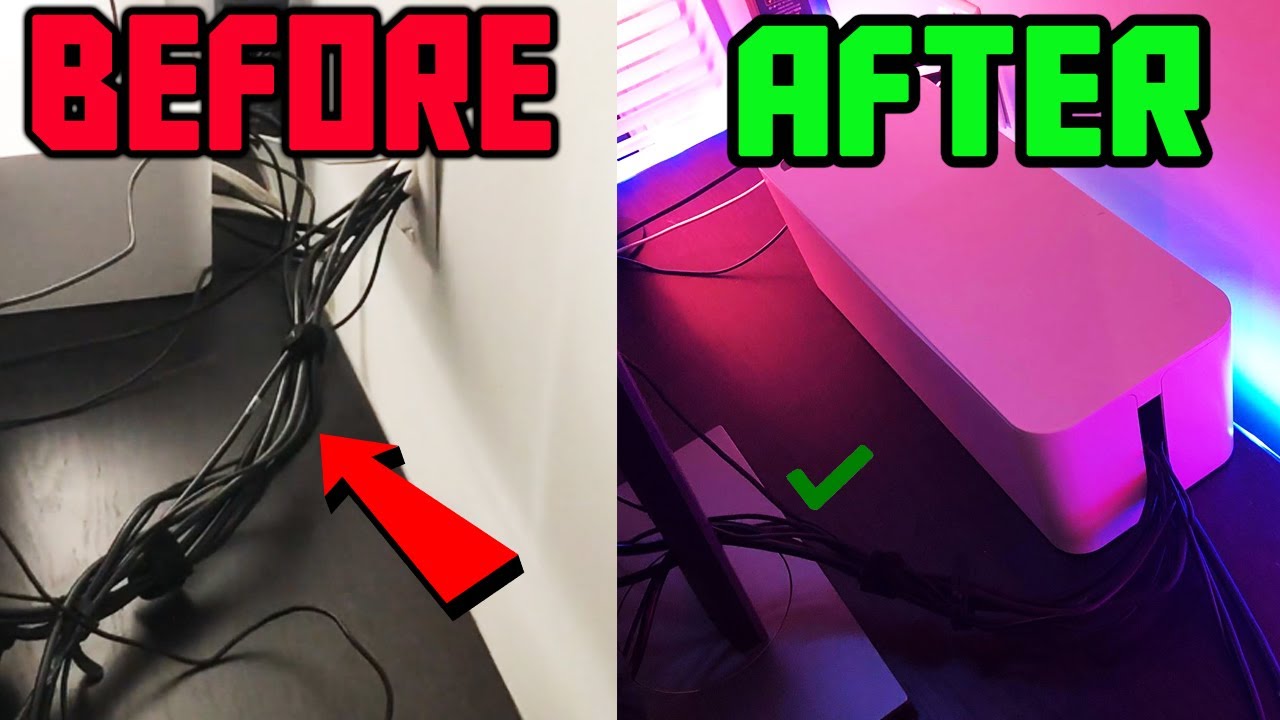
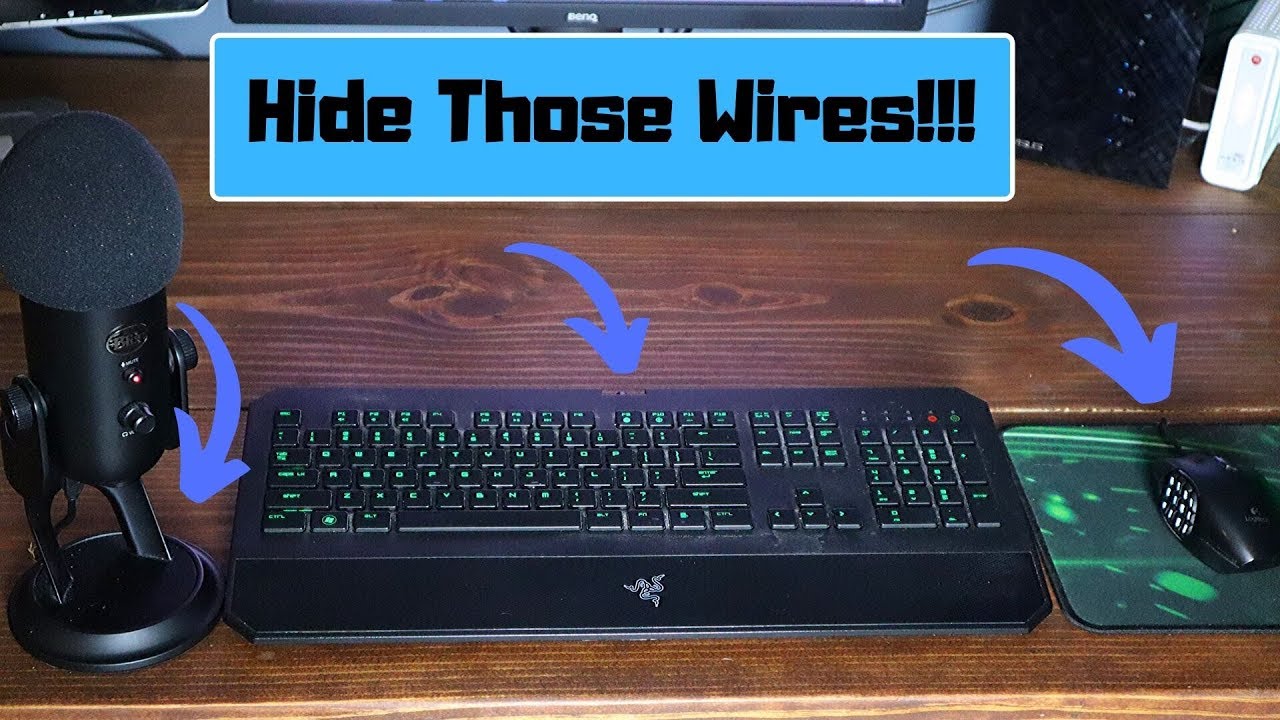

Cable Management With Style How To Hide Your PC Gaming Setup Cables . HOW TO HIDE CABLES FOR GAMING SETUP Easy PC Cable Management YouTube . Drilling Holes In Gaming Desk Hide Those Wires YouTube . DIY Ideas To Hide Room Cables Wires I How To Hide Cables And Wires I . How To Hide Cords How To Hide Wires On A Desk



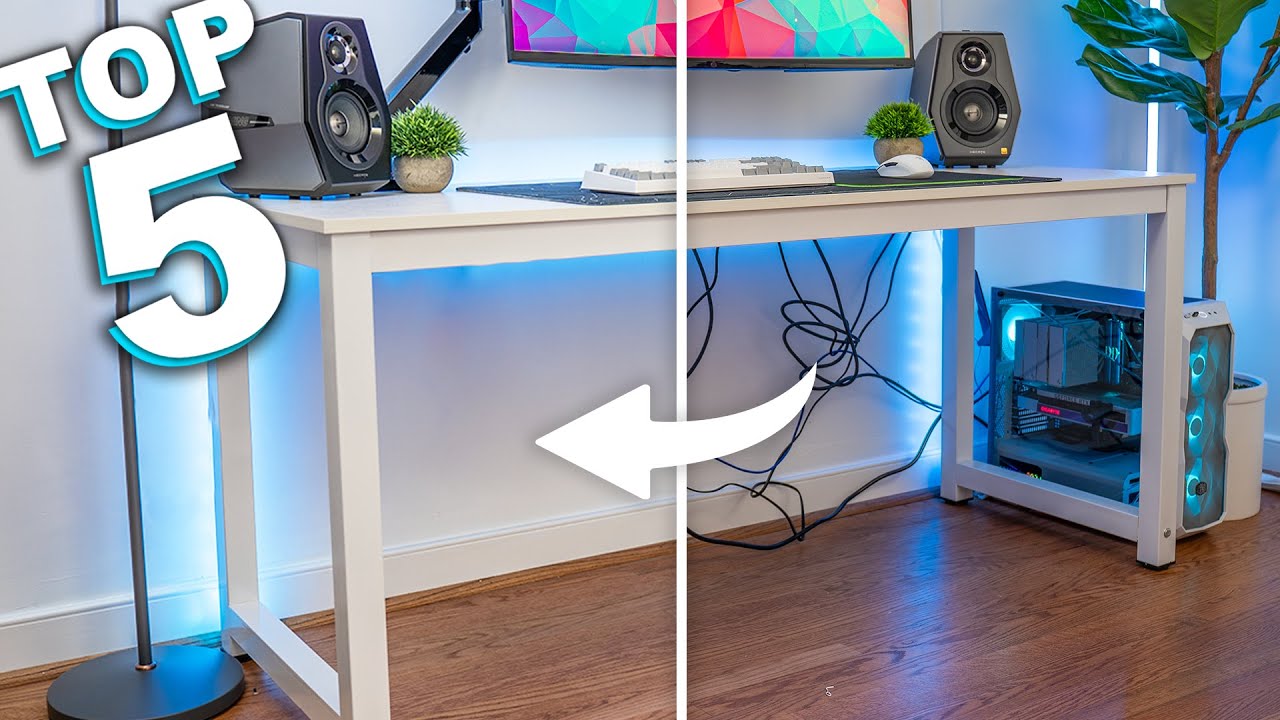
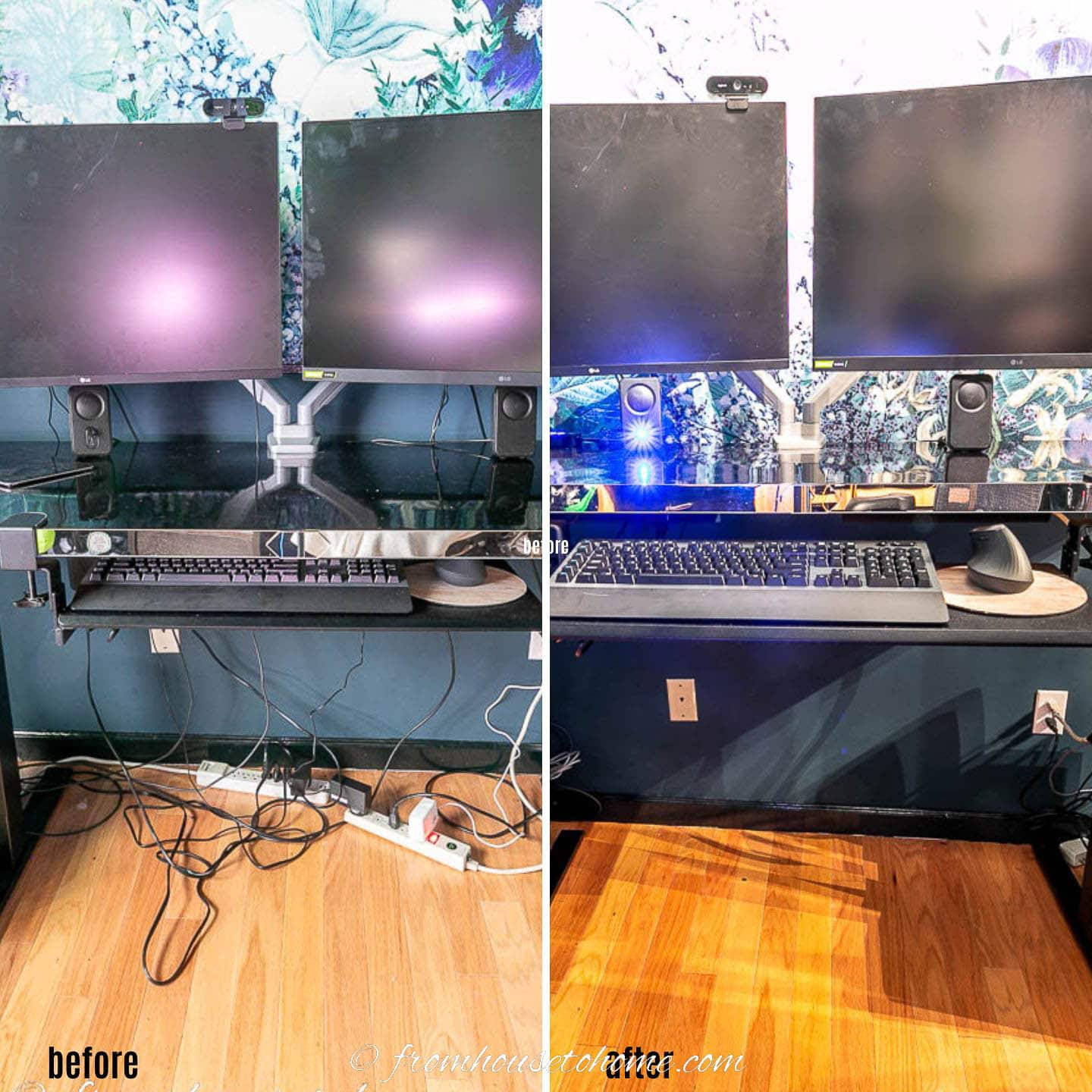
How To Hide Wires On A Desk From House To Home Hide Wires Hide . Great Scott Asus Back To The Future Cable Hiding System Is No Gimmick . 9 Simple Ways To Hide PC Wires WikiHow Aid12545969 V4 728px Hide PC Wires Step 4 . 9 Simple Ways To Hide PC Wires WikiHow Aid12545969 V4 728px Hide PC Wires Step 7 . Top 5 Cable Management Products For Your Gaming Desk YouTube


9 Simple Ways To Hide PC Wires WikiHow Aid12545969 V4 728px Hide PC Wires Step 2 . 9 Simple Ways To Hide PC Wires WikiHow Aid12545969 V4 728px Hide PC Wires Step 1 . Hiding Wires In The Wall How To Achieve A Clean And Clutter Free . 9 Simple Ways To Hide PC Wires WikiHow Aid12545969 V4 728px Hide PC Wires Step 8 . How I Hide ALL THE CABLES In My Gaming Setup YouTube


Quick Fix How To Hide Cords And Cables E8ff87 . PC How To Hide The Wires To Your Gaming Setup 1080p Video YouTube . How To Hide Xbox Wires At Judy Canup Blog . How To Hide Speaker Wire For Surround Sound 8 Methods 2026 Featured Image Vm6t Fcy . 5 4M Views 32K Reactions Link In Comments Cord And Cable Box Game


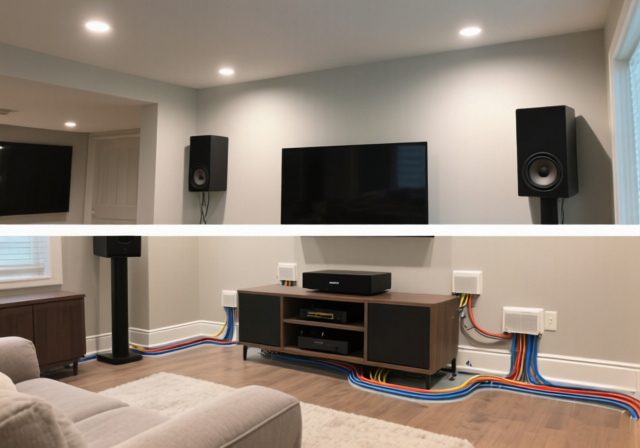


GENIUS Ways To Hide Wires And Cords YouTube . 6 Get A Wire Sleeve I7IwqxHIWEY BZb2FhgcKN C8WbXBup7Ee UL. 7 Proven Methods To Hide Speaker Wires For Surround Sound May 2026 Featured Image 94rvgofo . How To Hide Wires On A Desk Hide Wires Hide Electrical Cords Hide . Need Advice For How To Hide The Cables Still Out R Need Advice For How To Hide The Cables Still Out V0

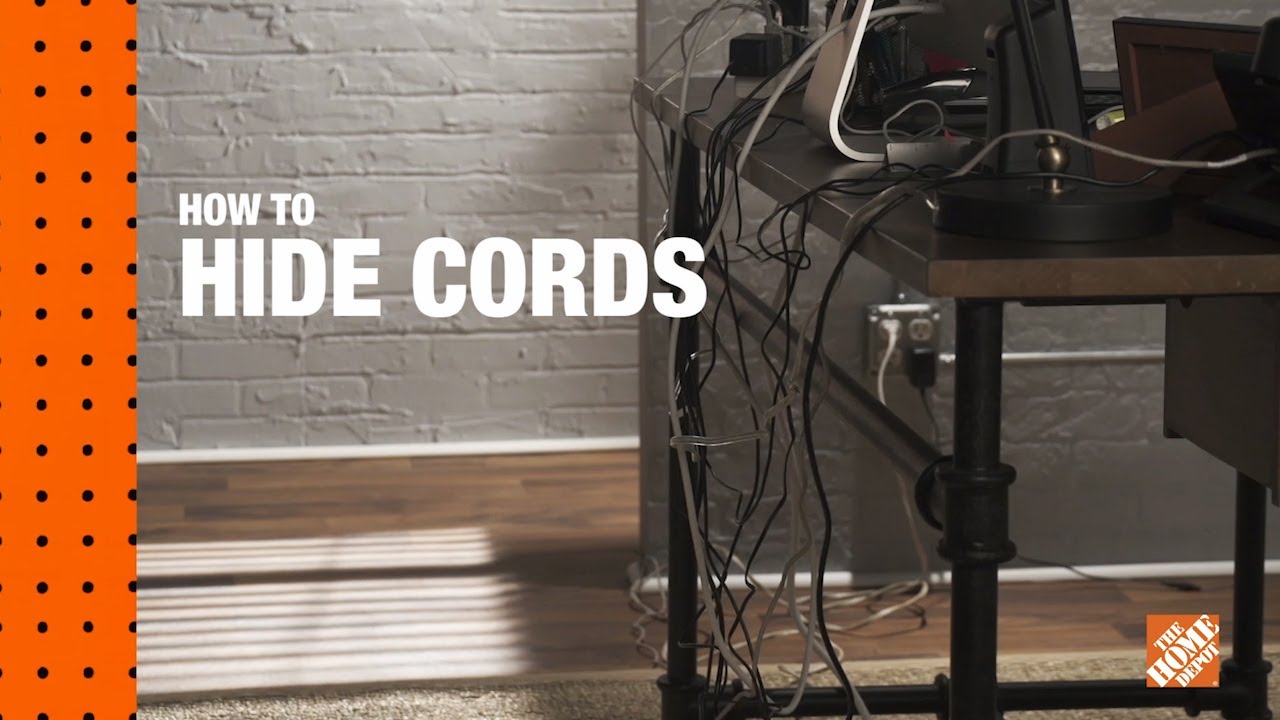

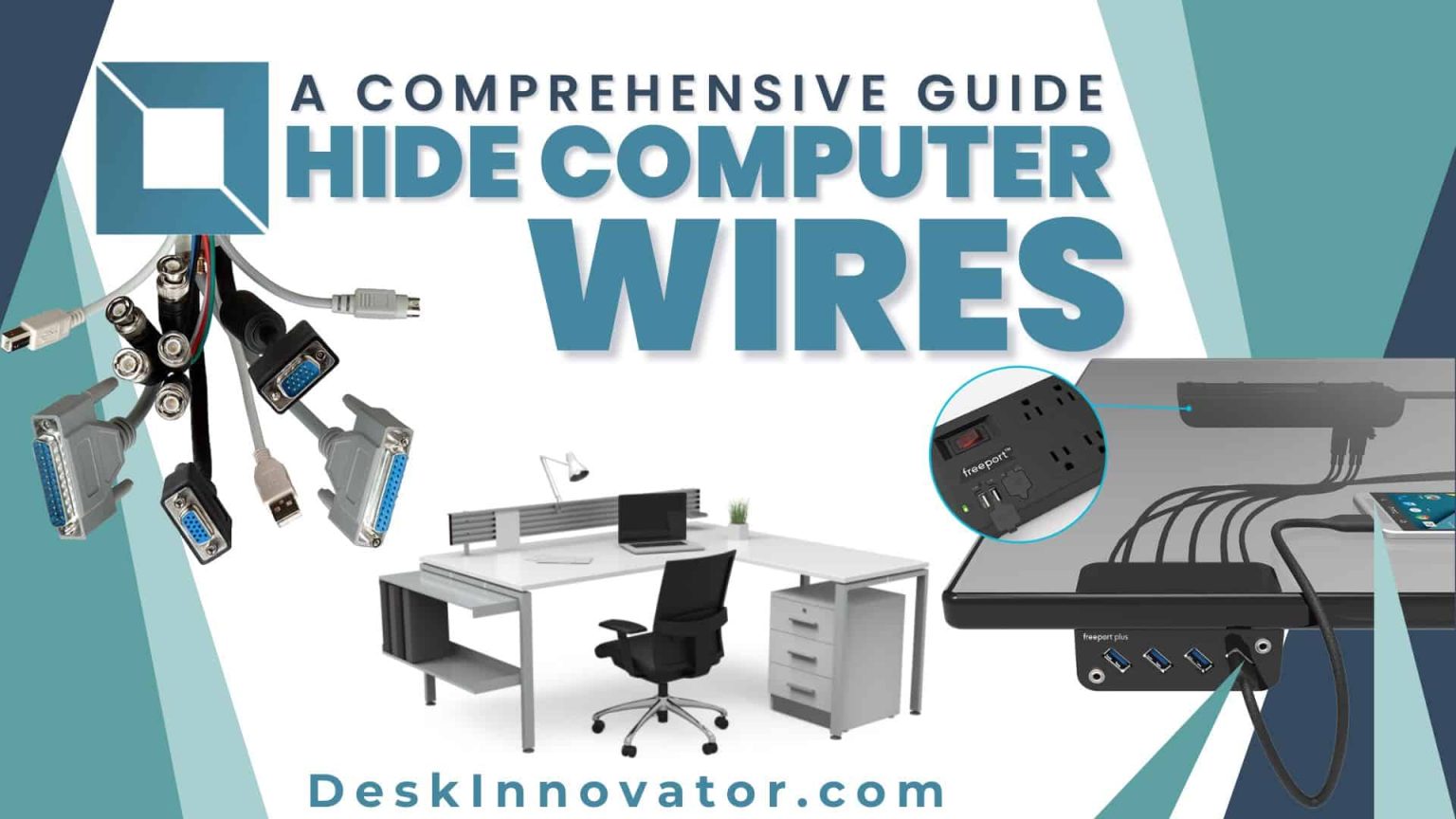
How To Hide TV Wires Inside Wall The Right Way Harder Than I Expected . Easy Ways To Hide Electrical Outlets Wires The Home Depot . How To Hide Wires On A Desk Artofit . How To Hide Computer Wires 13 Clever Ideas For A Clean Desk 13 Strategic Ways On How To Hide Computer Wires . How To Hide Computer Wires A Guide Desk Innovator How To Hide Computer Wires A Guide 1536x864


How To Hide Wires And Cables 7 Creative Ways HomeRun Blog 3 . Hide Cables On Wall Artofit . Best 13 12 Ingenious Ways To Hide Ugly Wires Tech In Your Home Artofit . 15 Clever Hacks To Hide Those Annoying TV Wires How To Hide Tv Wires 15 300x184 . 12 Genius Ways To Hide Every Wire In Your Home Hide Wires And Cables Amazon