Gamers balancing life need clear advice. This guide cuts through the noise to help you select the ideal PC microphone for gaming. We understand you value crystal clear communication in Discord with your squad and pristine audio for your occasional stream without breaking the bank or wasting precious gaming time on complicated setups. This article covers everything from USB convenience to XLR quality ensuring you make an informed decision that fits your lifestyle and budget. Discover microphones that enhance your social gaming experience improve in game callouts and even reduce background distractions so your voice is always heard loud and clear. We will delve into what makes a great gaming microphone how to avoid common pitfalls and which features truly matter for todays diverse gaming landscape. Stay current with 2026 trends and ensure your audio setup is as sharp as your gameplay allowing you to fully immerse yourself whether you are unwinding with friends or competing in your favorite titles. Your perfect gaming mic solution starts here.
How do I choose the right PC microphone for gaming without spending a fortune?
To choose the right PC microphone for gaming on a budget, focus on USB condenser microphones from reputable brands. Look for models with a cardioid polar pattern, which helps isolate your voice, and check if they include a basic stand or pop filter to save on extra costs. Prioritize clear vocal pickup over fancy features. Brands like HyperX, Razer, Blue Yeti, or FIFINE often offer excellent value, providing crisp audio for Discord and in-game communication without a complex setup. Always read recent reviews from fellow gamers for real-world performance insights before purchasing.
What's the difference between a dynamic and condenser microphone for PC gaming, and which is better?
For PC gaming, the choice between dynamic and condenser microphones depends on your environment. A condenser mic is highly sensitive, capturing a wider frequency range and more detail, making your voice sound rich and full. It's ideal for quiet rooms and streaming. However, it will also pick up more background noise. A dynamic mic is less sensitive and more durable, excellent at isolating your voice in noisy environments, like a busy household. For most gamers in a typical room, a condenser mic offers superior vocal clarity. If you're battling constant background noise, a dynamic mic might be the better choice, often requiring an XLR setup.
How can I connect an XLR microphone to my PC for gaming and streaming effectively?
Connecting an XLR pc microphone for gaming requires an audio interface (sometimes called a mixer or preamp) with phantom power. First, plug your XLR microphone into an XLR input on the audio interface using a high-quality XLR cable. Next, connect the audio interface to your PC via a USB cable. Install any necessary drivers for the interface. Finally, select the audio interface as your input device in your Windows sound settings and within your gaming applications like Discord or OBS. Adjust the gain knob on your interface until your voice is clear and strong without peaking, using headphones to monitor your levels in real-time.
Are integrated microphone arrays in webcams or laptops good enough for gaming in 2026?
In 2026, while integrated microphone arrays in webcams and laptops have improved, they are still generally *not* good enough for a truly immersive and effective PC gaming experience. These mics are primarily designed for casual video calls and convenience, not for clear, noise-isolated voice communication in a dynamic gaming environment. They often pick up excessive background noise, lack clarity, and can sound distant or tinny, leading to frustration for your teammates. Investing in a dedicated pc microphone for gaming, even an affordable USB option, provides a massive upgrade in audio quality and communication reliability.
What are the best software settings to improve my PC gaming microphone's sound quality?
To vastly improve your pc microphone for gaming's sound quality through software, start with Windows Sound Settings: right-click the speaker icon, select "Sound settings", then "Sound Control Panel", navigate to "Recording", choose your mic, "Properties", and go to the "Levels" tab to set input volume. Crucially, in the "Enhancements" or "Advanced" tab, you might find options for noise suppression or echo cancellation – experiment with these. For Discord, enable "Krisp" noise suppression and adjust input sensitivity. If streaming, use OBS Studio's built-in audio filters like "Noise Gate," "Noise Suppression," and "Compressor" to professionally sculpt your sound and eliminate unwanted background noise effectively.
How do I prevent my gaming mic from picking up my headphones' audio or game sound?
Preventing your pc microphone for gaming from picking up your headphones' audio (mic bleed) is crucial for clear communication. First, ensure your headphones are reasonably loud but not blasting, and consider closed-back headphones for better sound isolation. In Windows Sound settings, under your microphone's properties, uncheck "Listen to this device" if it's enabled. Adjust your microphone's gain or input sensitivity lower so it's less sensitive to ambient sounds. Utilize noise suppression software like Discord's Krisp or NVIDIA Broadcast, which are excellent at filtering out game audio and other sounds that might leak from your headphones into your mic.
What are some common mistakes gamers make with their PC microphones and how to avoid them?
Gamers often make several common mistakes with their pc microphone for gaming. One is incorrect placement, leaving the mic too far away or aiming it improperly, leading to faint or off-axis audio; always position it 6-12 inches from your mouth and slightly off-center. Another is setting gain too high, which introduces excessive background noise; adjust it carefully until your voice is strong without peaking. Neglecting software settings like noise suppression or input sensitivity is also common, which can drastically improve clarity. Finally, not using a pop filter results in harsh 'P' and 'B' sounds. Avoiding these simple pitfalls ensures a much better audio experience for everyone.
Ever found yourself in a clutch gaming moment, shouting vital callouts to your squad, only to be met with "What did you say?" or worse, a static-filled silence? You are not alone. For many US gamers, particularly those balancing careers, family life, and a passion for virtual worlds, clear communication is paramount. We dedicate our precious free hours to gaming for relaxation, social connection, and the thrill of skill-building. A poor pc microphone for gaming can quickly turn a fun session into a frustrating experience, hindering teamwork and immersion. The average gamer, around 36 years old and part of the 60% of US adults who regularly game, spends over 10 hours a week in front of their screens. With social gaming continuing its upward trend, particularly on platforms like Discord where cross-play with mobile and console friends is common, your voice needs to cut through the digital noise.
This comprehensive guide is designed for you. We understand you want top-tier performance without the hype or the hassle of complex setups. You seek value for money, reliable hardware, and solutions that integrate seamlessly into your busy life. Forget endless research; we are here to help you navigate the 2026 landscape of pc microphones for gaming. We will tackle common pain points, from confusing specs to budget constraints, ensuring your next upgrade is smart, efficient, and elevates your entire gaming experience. Let's make sure your voice is as clear and commanding as your gameplay.
Why is a dedicated PC microphone important for gaming?
Many gamers start with the mic built into their headset or webcam, but quickly discover its limitations. A dedicated pc microphone for gaming offers vastly superior audio quality, ensuring your teammates hear every tactical callout with crystal clarity. This is crucial for competitive titles where precise communication can be the difference between victory and defeat. Beyond competitive play, for the 87% of US gamers who regularly engage with others online, a good mic enhances the social experience, making banter and casual chats more enjoyable. It minimizes background noise, a common issue for adult gamers often sharing spaces with family or pets, thanks to advanced noise cancellation and pickup patterns. This results in less frustration for everyone involved and a more immersive gaming environment, allowing you to focus on the game, not on repeating yourself.
What are the main types of PC gaming microphones and their pros and cons?
Choosing a pc microphone for gaming often boils down to two primary connection types: USB and XLR. Each has distinct advantages and disadvantages tailored to different gamer needs and technical comfort levels. Understanding these will help you make an informed decision without getting caught up in unnecessary features or overwhelming technical jargon, especially when time is limited.
USB Microphones: Plug-and-Play Convenience
USB microphones are the go-to for most gamers due to their unparalleled ease of use. They connect directly to your PC via a USB port and are typically recognized instantly, requiring minimal setup. This "plug-and-play" nature is ideal for busy gamers who want to spend more time playing and less time troubleshooting. They often include built-in analog-to-digital converters and headphone jacks for direct monitoring. Popular models often feature cardioid polar patterns, excellent for picking up sound directly in front while minimizing side and rear noise, perfect for gaming desks. While USB mics offer great sound quality, they can be susceptible to electrical interference and generally do not offer the same level of raw audio fidelity or expandability as their XLR counterparts. They are perfect for Discord calls, casual streaming, and most single-PC setups.
XLR Microphones: Professional Audio Fidelity
XLR microphones are the choice for gamers aspiring to professional-grade audio, whether for serious streaming, content creation, or simply the best possible voice quality. These microphones connect via a three-pin XLR cable to an audio interface (like a Focusrite Scarlett) or a mixer, which then connects to your PC. This setup provides superior signal integrity, a wider dynamic range, and often a more natural, rich sound. The audio interface also allows for hardware-level control over gain, phantom power, and sometimes even built-in DSP effects. The downside is the added complexity and cost: you need an additional piece of hardware, and the setup requires a bit more technical know-how. However, for those willing to invest the time and money, an XLR pc microphone for gaming delivers unmatched audio performance and flexibility, offering future-proofing for evolving content creation ambitions.
How do I choose the best PC microphone for gaming on a budget?
For gamers balancing budgets with performance needs, finding a great pc microphone for gaming does not mean sacrificing quality entirely. Focus on microphones that offer solid core features without unnecessary bells and whistles. USB condenser microphones from reputable brands often provide excellent clarity for their price point. Look for models with a cardioid polar pattern for focused voice pickup and integrated pop filters or stands to avoid extra purchases. Brands like Blue Yeti Nano, HyperX SoloCast, or Razer Seiren Mini are fantastic starting points, frequently on sale and offering superb value. Always check recent reviews and compare sound tests online to ensure the mic performs well in a gaming environment, particularly regarding background noise rejection, which is vital for clear communication.
What features should I prioritize for clear voice communication in games?
When selecting a pc microphone for gaming, several features are non-negotiable for crystal-clear communication. Firstly, a cardioid polar pattern is essential. This ensures the microphone primarily picks up your voice directly in front of it, minimizing sounds from the sides and rear – perfect for blocking out keyboard clicks or room echoes. Secondly, noise cancellation technology, whether software-based (like NVIDIA Broadcast or Discord's Krisp) or hardware-integrated, is a game-changer for reducing ambient noise. Thirdly, a high sample rate and bit depth (e.g., 48kHz/24-bit) translate to richer, more detailed audio. Finally, features like an integrated pop filter to reduce plosives (P and B sounds) and a headphone jack for zero-latency monitoring allow you to hear yourself and ensure optimal levels without delay, making adjustments easier during gameplay.
How can I optimize my PC microphone setup for gaming and streaming?
Optimizing your pc microphone for gaming goes beyond just plugging it in. Placement is key: position the mic roughly 6-12 inches from your mouth, slightly off-axis to reduce harsh plosives. A desk arm or boom arm is highly recommended to bring the mic closer and minimize desk vibrations. Next, adjust your gain correctly. Too high, and you introduce unwanted room noise; too low, and your voice will be faint. Most operating systems and gaming platforms like Discord offer input level adjustments. Utilize software enhancements; Discord's Krisp noise suppression, NVIDIA Broadcast, or even OBS Studio's built-in noise gates and compressors can drastically improve sound quality. Regularly update your audio drivers to ensure compatibility and optimal performance. For XLR setups, ensure your audio interface drivers are current.
Are wireless PC gaming microphones reliable in 2026?
The landscape of wireless pc microphone for gaming solutions has dramatically evolved by 2026. Once plagued by latency and inconsistent connections, modern wireless gaming mics now leverage advanced 2.4GHz connections or low-latency Bluetooth codecs, offering near-wired performance. While dedicated wireless XLR systems still offer the ultimate freedom for streamers moving around, integrated wireless USB microphones (often part of high-end gaming headsets) provide excellent convenience for desktop gamers. Key considerations include battery life, which has improved significantly, and range, allowing you to step away from your PC without dropping calls. While a wired connection still offers undeniable stability, a high-quality wireless gaming mic from a reputable brand (like Razer, SteelSeries, or Corsair) is now a perfectly reliable and desirable option for many gamers valuing freedom of movement.
When should I consider an XLR microphone over a USB one for gaming?
While USB microphones are incredibly convenient, an XLR pc microphone for gaming becomes a compelling choice when your audio demands exceed standard requirements. You should consider an XLR setup if you are: a serious streamer or content creator looking for broadcast-quality audio; a competitive gamer where every nuance of your voice needs to be captured without compromise; or if you simply desire the absolute best possible sound quality and are willing to invest in the additional hardware (audio interface) and a slightly more involved setup. XLR provides greater control over your audio signal, better dynamic range, and a cleaner, more professional sound that is less prone to interference. It offers scalability for future upgrades and a level of fidelity that truly elevates your voice above the competition, making it sound more natural and impactful.
What are common PC microphone issues and how do I troubleshoot them?
Even the best pc microphone for gaming can encounter issues. Here are common problems and quick troubleshooting steps:
- No sound/mic not detected: Check physical connections (USB port, XLR cables to interface). Ensure the correct microphone is selected as the input device in Windows Sound Settings and in your game/Discord. Try another USB port or cable.
- Low volume: Increase gain on the microphone itself (if applicable) or in your PC's sound settings (input level). Disable any automatic gain control features in software.
- Static/Buzzing: Often caused by electrical interference. Try a different USB port (preferably a rear one directly on the motherboard). Ensure your cables are not running parallel to power cables. For XLR, check cable shielding and power source.
- Echo: Reduce speaker volume or use headphones. Ensure "Listen to this device" is unchecked in Windows microphone properties. Check for multiple instances of voice software running simultaneously.
- Plopping/Harsh P and B sounds: Use a pop filter. Position the mic slightly off-axis from your mouth.
Always restart your PC after making significant changes to audio settings. Many issues can be resolved by simply ensuring all connections are secure and software settings are correctly configured for your specific pc microphone for gaming.
How do I balance mic quality with my busy gaming lifestyle?
Balancing top-tier audio with a demanding schedule is a common challenge for many gamers. The key is to prioritize features that offer the most impact for your specific use without overcomplicating your setup. For quick, reliable quality, a high-end USB microphone like a Rode NT-USB+ or a Shure MV7 provides excellent performance with minimal fuss. These offer near-XLR quality with the simplicity of USB, perfect for dropping into Discord after work or squeezing in a quick stream. Leverage software tools like NVIDIA Broadcast or Discord's Krisp for on-the-fly noise reduction, saving you from meticulously soundproofing your gaming space. Invest in a good boom arm for optimal mic placement, which can elevate even an average mic's performance. Remember, consistency and clarity are often more valuable than chasing the absolute perfect sound, especially when your gaming time is a treasured escape and social outlet.
And that wraps up our deep dive into choosing and optimizing a pc microphone for gaming. We've covered the essentials, from understanding different mic types to troubleshooting common issues and balancing your passion with your busy life. Investing in a quality microphone is not just about sounding better; it's about enhancing your entire gaming experience, strengthening team cohesion, and making your social interactions more enjoyable. With the right setup, your voice will cut through the chaos, ensuring you're always heard loud and clear whether you're strategizing in a raid or just unwinding with friends after a long day.
What's your biggest gaming challenge when it comes to audio or communication? Comment below! Share your favorite microphone setups or tips you've discovered to help fellow gamers improve their sound.
FAQ Section
Q: What is the best type of microphone for casual PC gaming?
A: For casual PC gaming, a USB condenser microphone with a cardioid polar pattern is generally best. It offers great sound quality, is easy to set up (plug-and-play), and is often budget-friendly. Brands like HyperX, Razer, and Blue Yeti offer excellent options that deliver clear audio for Discord and in-game chat without complicated configurations.
Q: Can I use a regular podcasting microphone for gaming?
A: Absolutely! Many high-quality podcasting microphones, especially USB or XLR condenser mics, are excellent for gaming. They are designed for clear vocal capture, often featuring superior noise rejection and a richer sound profile than typical gaming headset mics. Just ensure it has a suitable polar pattern (like cardioid) and can be easily positioned near your mouth.
Q: How do I reduce keyboard noise picked up by my PC gaming microphone?
A: To reduce keyboard noise, try positioning your pc microphone for gaming closer to your mouth and slightly off-axis, using a boom arm to elevate it above your keyboard. Enable noise suppression software like Discord's Krisp or NVIDIA Broadcast. Using a cardioid mic helps, and you might also consider quieter mechanical keyboard switches (like linear reds) or O-rings if noise is a major concern.
Q: Is a gaming headset microphone ever good enough?
A: For basic communication and convenience, many modern gaming headset microphones are "good enough" for casual play. However, they rarely match the clarity, noise rejection, or overall audio quality of a dedicated pc microphone for gaming. If clear, professional-sounding voice is a priority for competitive play, streaming, or content creation, a standalone mic is a significant upgrade.
Q: What is phantom power and do I need it for my gaming mic?
A: Phantom power is a 48-volt electrical current supplied through an XLR cable to power certain condenser microphones. If you're using a USB microphone, you do not need phantom power as it's powered by USB. If you choose an XLR condenser pc microphone for gaming, you will need an audio interface or mixer that can provide phantom power to make the microphone function.
Q: How often should I update my microphone drivers?
A: It's good practice to check for and update your microphone drivers (or audio interface drivers for XLR setups) every few months, or if you encounter any performance issues. While not as frequent as GPU drivers, updates can provide compatibility improvements, bug fixes, and sometimes even performance enhancements for your pc microphone for gaming, ensuring it runs optimally with your system and software.
Choosing the right PC microphone for gaming enhances communication and immersion. USB mics offer plug and play ease perfect for busy gamers. XLR mics provide superior audio quality ideal for streaming or content creation. Budget friendly options deliver excellent performance for casual and competitive play. Noise cancellation and clear voice pickup are crucial for a distraction free experience. Setup and compatibility are key considerations for hassle free gaming sessions.
35


Best Buy Gaming Laptop 2026 Top Picks For Gaming PC Guru 71QclY4ig4L . Top 10 Best Microphones For PC 2026 EXPERTPICKS AC SL1500 1166x1536 . Best Gaming PC Build For Every Budget May 2026 AC SL1500 . 15 Best Microphones For Gaming In 2026 Clear Sound And Top Performance Top Gaming Microphones 2026 Honns . Best Budget Microphone For Gaming 2026 Reviews Speakers In Code


Best PC Microphone For Gaming In 2026 Top Gaming PC Guru Best Pc Microphone For Gaming Featured . Best Cheap Microphone For Gaming 2026 Aff Gaming PC Guru Best Cheap Microphone For Gaming Featured . Best Microphone For Gaming 2026 USB XLR Gaming PC Guru Best Microphone For Gaming Featured 1 . 15 Best Microphones For Gaming In 2026 Crystal Clear Sound For Your Top Gaming Microphones 2026 Nlccr . 15 Best Gaming Microphones Of 2026 For Clearer Sound And Better Streams Top Gaming Microphones 2026 1kuvs


10 Best Gaming Microphones For Streaming June 2026 Buying Guide Best Gaming Microphones For Streaming . Best Gaming Headsets In 2026 I D Bet My Ears On These Headphones PC . Best Boom Mic For Gaming 2026 USB XLR S Gaming PC Guru Gaming Microphone Variant 33 Hero 800x500 . HyperX QuadCast S Review 2026 RGB USB Con Gaming PC Guru 71k6li 9vFL. AC SL1500 . Best Gaming Mics For 2026 Tom S Hardware


The BEST Top 5 Gaming Microphone FIFINE List 2026 FIFINE Official The BEST Top 5 Gaming Microphone FIFINE List 2026 Fb76c414 807a 4c02 A215 . Best Microphone For Gaming PC 2026 Reviews Speakers In Code. Best Boom Mic For Gaming 2026 USB XLR S Gaming PC Guru Gaming Microphone Variant 24 Hero 2 800x500 . The 10 Best Microphone For Pc Gaming Of 2026 Best Microphone For Pc Gaming 1688982223 1920 60 . Best Gaming Microphones To Buy In 2026 GAMES GG Medium Best Gaming Microphones To Buy In 2026 5b4b1381d2


10 Best Microphones For Gaming In 2026 Enhance Your Voice And Stream Top Gaming Microphones 2026 Wif6o 800x450 . The 5 Best Microphones For Gaming In 2026 Crystal Clear Voice Top Gaming Microphones 2026 Ql28z . Best Cheap Microphone For Gaming 2026 Aff Gaming PC Guru 9fb46920 Be61 4eeb 8033 PT0 SX1464 V1 . Best Cheap Microphone For Gaming 2026 Aff Gaming PC Guru 41uwTGwb9mL . Best Cheap Microphone For Gaming 2026 Aff Gaming PC Guru Cfb95a6c 38fa 4dbf 9c06 PT0 SX1464 V1


15 Best Microphones For Gaming In 2026 According To Top Streamers Top Gaming Microphones 2026 Kzcyx . Best Microphone For Gaming PC 2026 Reviews Speakers In Code. Best Cheap Microphone For Gaming 2026 Aff Gaming PC Guru E7d7caf8 D407 4ef9 B2b4 PT0 SX1464 V1 . Best Cheap Microphone For Gaming 2026 Aff Gaming PC Guru Aceb82d7 8505 4cb2 A694 PT0 SX1464 V1 . The 10 Best Microphone For Pc Gaming Of 2026 SL500

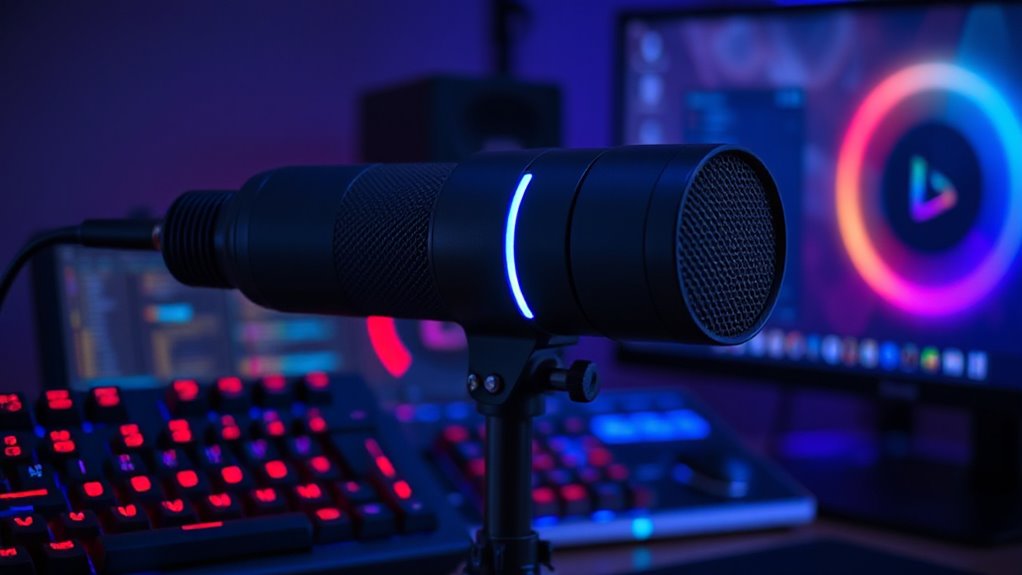

Best Cheap Microphone For Gaming 2026 Aff Gaming PC Guru 4fecbf74 55f5 48ef Ac44 PT0 SX1464 V1 . Best Gaming Microphone For Streaming 2026 Compared The Best Gaming Microphones Gaming Microphone Comparison Gaming Microphone Test.webp. Best Cheap Microphone For Gaming 2026 Aff Gaming PC Guru F1c6b422 9ab4 41b6 Af53 PT0 SX1464 V1 . 15 Best Microphones For Gaming In 2026 Enhance Your Voice With Top Top Gaming Microphones 2026 2xcp3 . Best Cheap Microphone For Gaming 2026 Aff Gaming PC Guru AC SL1500