Gallery


How To Know If Your Iphone Is Unlocked 2026 Guide H59FCF792D7074C8D8C1EAFC87497F936Y Factory Reset 2026 Unlock Ios Screen Check It Youtube Maxresdefault Phone 2026 Switchninja Infographic 2026 Tell What Does That Mean In 2026 Samsung UB Jan Iphones Explained Unlocking 2026 Things You Need 2026 An For All Carriers 2026 Comment Savoir Si Un Telephone Est Debloque Tout Operateur Image Facts About Semi Carrier Lock No Restrictions From AT T Complete 2026 Unloky ATT New 2026 Apple 17E A3575 USA ESIM Ebay S L500.



How To Unlock Iphone For Totally Free In 2026 Request Pending Too Long What It Really Means An If You Forgot The Passcode Safe Official Methods Scaled Apple Insider Reveals New Leaks About Foldable Release 2026 1757330244SDSTRZYEJD 2026 Roadmap Expected Roll Out 17E First 18S Later Rawimage Any Carrier 2026 Step By Guide Maxresdefault 2026 Buyer S Every Used On IOS Youtube Obsol Te En 2026 La Liste Compl Et Les Meilleurs Mod E Quel Acheter 2026 8edcac15 7b81 45f2 9717 6d0abd4159c0 2026 8edcac15 7b81 45f2 9717 6d0abd4159c0 2026 Lineup Pro Models More Geeky 2026 Design And Display Optimized 2026 Upcoming Iphones 2026 Expect From Mobile Buzz BD Blog 2026 LEAKED Cameras 2026 Max Fold 17E Next Three Years 2026 2028 Gemini Generated Image Cpryescpryescpry WY9VNH.


Iphone Shop Near Me Buy Genuine Iphones At Apple Iplanet 2026 Explore The 2026 Lineup Scaled 2026 17E Leak Reveals 2026 Launch With Flagship A19 Chip And 202511251620 17E 2026 A19 Camera Upgrade 20251126 003018 202511251620 17E 2026 A19 20251126 003018 What S On My 2026 Youtube Maxresdefault How To Unlock Without Passcode 2026 Guide Easeus Or Face Id Tell If Is Factory Unlocked 3G 3GS 4S Hqdefault Foldable In 2026 Delay Base 2027 DD842DB8AF70D43CC76D942965CB635128808526CF5F5E46994935D0507B793E Les Fuites De L Pro 2026 D R V Lent Un Design Et Des Apples 2026 Leaks Reveal Revolutionary Features 2026 Asking For After Reset 2026 Anyunlock Screen.
Key highlights
Frequently asked questions
How can I tell if my iPhone is factory unlocked without a second SIM card?
You can check your iPhone's 'Settings > General > About' for 'Carrier Lock' status, which should display 'No SIM restrictions.' Alternatively, contact your iPhone's original carrier directly with your IMEI number. They can provide an official status update, confirming if your device is factory unlocked or eligible for an unlock based on their policies.
What's the difference between a 'carrier unlocked' and a 'factory unlocked' iPhone?
A 'carrier unlocked' iPhone has been unlocked by a specific carrier, allowing it to work on other networks. A 'factory unlocked' iPhone, however, was never locked to a carrier from the start or was permanently unlocked directly through Apple's database, meaning it's free to use with any network worldwide right out of the box, offering maximum flexibility.
Is it legal to unlock an iPhone in the United States in 2026?
Yes, it is perfectly legal to unlock an iPhone in the United States. The Unlocking Consumer Choice and Wireless Competition Act of 2014 made it legal for consumers to unlock their mobile devices. Carriers are generally required to unlock devices once the contract terms are met and the device is fully paid off.
Will a factory unlocked iPhone work with any international SIM card?
Yes, a factory unlocked iPhone is designed to work with any compatible international GSM SIM card. This is one of its primary advantages, allowing you to avoid expensive international roaming fees by simply inserting a local SIM card when traveling abroad. Always ensure the local network technology is compatible with your iPhone model.
Can I buy a factory unlocked iPhone directly from Apple?
Yes, you can purchase factory unlocked iPhones directly from Apple's official website or Apple Stores. These devices are sold without any carrier ties, allowing you to choose your preferred network immediately upon activation. This is the most straightforward way to ensure you're getting a truly factory unlocked device.
What should I do if my carrier refuses to unlock my iPhone?
If your carrier refuses to unlock your iPhone despite meeting their eligibility criteria (e.g., contract fulfilled, device paid off), first, politely escalate the issue with their customer service. If that fails, you can file a complaint with the FCC (Federal Communications Commission) or the Better Business Bureau, which often prompts carriers to resolve such issues.
Does buying a used iPhone that is advertised as 'unlocked' mean it's factory unlocked?
Not necessarily. An iPhone advertised as 'unlocked' on the used market could be a carrier unlock, a temporary software unlock, or even illegally unlocked. To verify if it's genuinely factory unlocked, always perform the SIM swap test, check settings, or use a reputable paid IMEI checker before finalizing the purchase to avoid potential issues.
The story
Alright, listen up, tech enthusiasts and savvy consumers! There’s a question I hear all the time, especially when folks are eyeing a new carrier plan, planning an overseas trip, or just trying to offload their old device for top dollar: "Is my iPhone factory unlocked?" It’s a simple question, but the answer can be surprisingly complex, often shrouded in carrier jargon and outdated information. As someone who’s been knee-deep in the iPhone world since the original dropped, I’ve seen it all – the triumphs of a truly free device and the headaches of a stubbornly locked one. In 2026, understanding this isn't just a nicety; it's a necessity for true digital freedom.
Think of your iPhone as a celebrity: highly desirable, but sometimes tied down by contracts. A factory unlocked iPhone? That's the A-lister who's free to work with any studio, travel anywhere without restriction. A locked one? Still a star, but bound by an exclusive deal. Knowing which one you have can save you hundreds, if not thousands, in the long run. Let's get into the nitty-gritty of how to tell.
How Do I Confirm My iPhone's Unlock Status?
This is where the rubber meets the road. There are a few reliable ways to check if your iPhone is truly factory unlocked. Forget the myths you’ve heard; these are the methods that actually work in 2026.
The SIM Card Swap Test: The Easiest Method
The most straightforward way to check for many Americans is the good old SIM card swap. This works wonders if you have access to a spare SIM from a different carrier than your current one.
- Grab a SIM card from a friend or family member who uses a different carrier (e.g., if you're on AT&T, try a T-Mobile SIM).
- Power off your iPhone.
- Eject your current SIM and insert the new, different carrier's SIM.
- Turn your iPhone back on.
- If your iPhone connects to the new carrier's network and allows you to make calls, send texts, and use data, congratulations! Your iPhone is most likely factory unlocked.
- If you see a "SIM Not Valid" or "Network Locked" message, then your iPhone is still locked to its original carrier.
Checking Through Your iPhone Settings: A Quick Peek
While not 100% foolproof for every device and iOS version, your iPhone's settings can offer a strong clue. This method has become more reliable with recent iOS updates.
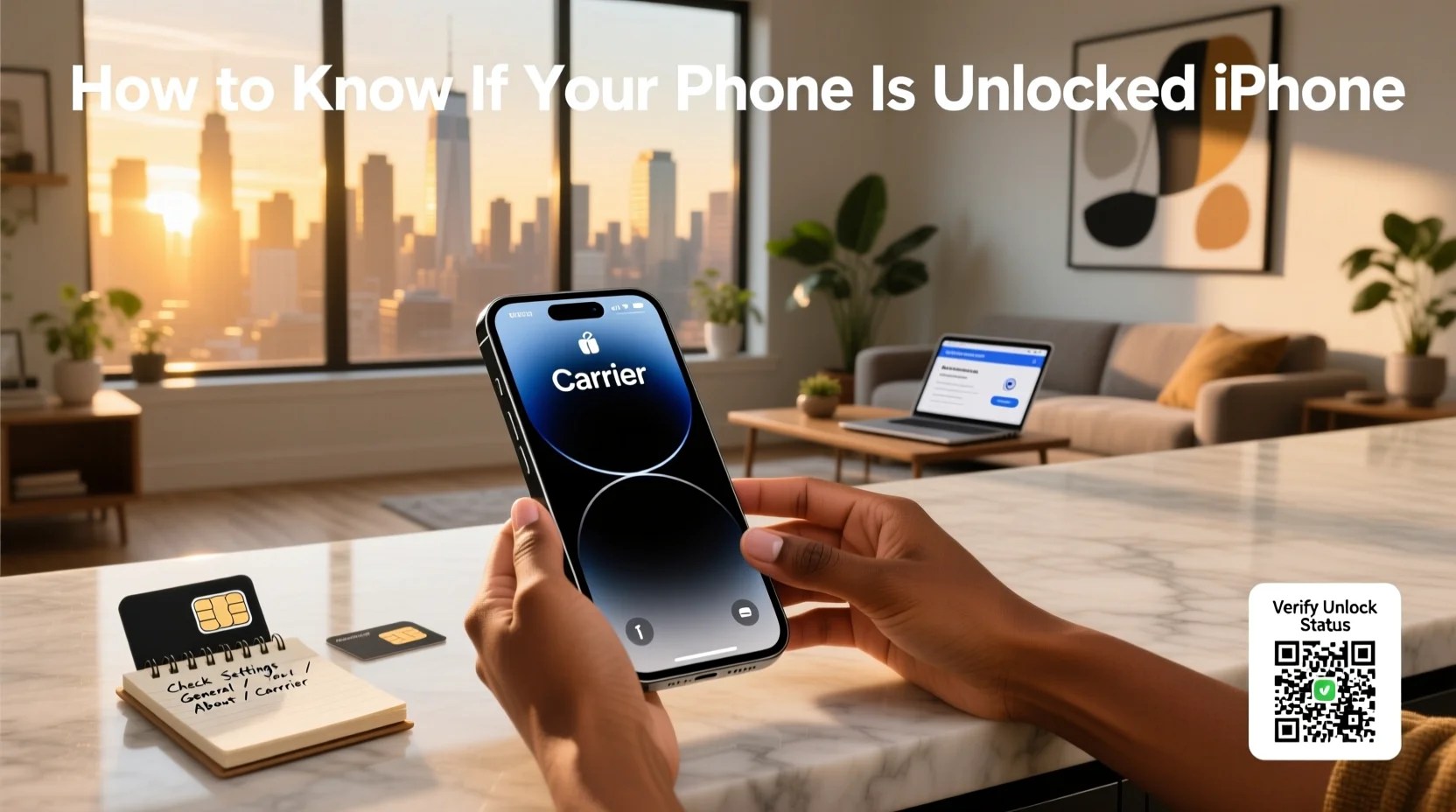
- Go to "Settings" > "General" > "About."
- Scroll down to "Carrier Lock" or "Network Provider Lock."
- If it says "No SIM restrictions," then your iPhone is almost certainly factory unlocked. If it shows any other status, like "SIM locked" or a specific carrier, it's likely locked.
Contacting Your Original Carrier: The Official Word
Sometimes, the best source is directly from the horse's mouth. If you bought your iPhone through a specific carrier, they hold the key (literally) to its lock status.
- Call your original carrier's customer service.
- Provide them with your iPhone's IMEI number. You can find this by dialing *#06# or by going to Settings > General > About.
- Ask them explicitly if your iPhone is factory unlocked or if it's eligible for unlocking. Be persistent; sometimes the first rep might not know the exact protocol.
- Most U.S. carriers have clear unlocking policies, especially after your contract is fulfilled or the device is fully paid off.
Using an Online IMEI Checker: A Paid, but Reliable Option
There are several reputable online IMEI checker services that can tell you your iPhone's exact lock status. While many free ones exist, the most reliable ones often charge a small fee (typically a few dollars USD). These services pull data directly from Apple's GSX database, providing accurate historical information about your device.
- Find a reputable IMEI checker website (a quick search for "iPhone IMEI checker unlock status" will yield results).
- Enter your iPhone's IMEI number.
- The service will return detailed information, including whether it's locked, to which carrier, and sometimes even the activation country.
Why Does a Factory Unlocked iPhone Matter in 2026?
Beyond just the simple answer to "is my iPhone factory unlocked," understanding the implications is crucial. This isn't just tech talk; it's about freedom and finances.
Global Travel and Cost Savings
For the jet-setters and international travelers among us, a factory unlocked iPhone is a game-changer. Imagine landing in Paris, popping in a local SIM card for €20, and having data and calls without exorbitant roaming charges. With a locked phone, you're stuck paying your U.S. carrier's international rates, which can easily rack up hundreds of dollars in a single trip.
Carrier Flexibility in the U.S.
In a competitive market like the U.S., being able to switch carriers whenever a better deal comes along is invaluable. Verizon offering an amazing new plan? T-Mobile got an irresistible trade-in? If your iPhone is factory unlocked, you can jump ship without buying a new phone. This flexibility puts you in control, not the carrier.
Higher Resale Value
When it's time to upgrade your device, a factory unlocked iPhone commands a significantly higher resale value on the secondary market. Buyers are willing to pay a premium for a phone they know will work with their chosen network without hassle. This is particularly true for popular models like the latest iPhones, whose value depreciates slower when unlocked.
Avoiding Activation Headaches
If you're buying a used iPhone, ensuring it's factory unlocked prevents major headaches. Many used iPhones are sold as unlocked but are, in fact, only carrier unlocked or were unlocked illegally. A factory unlock means a clean slate, ensuring you won't encounter activation issues down the line.
Can I Factory Unlock My iPhone Myself?
No, you cannot physically or digitally "factory unlock" your iPhone yourself in the way a carrier or Apple does. A true factory unlock can only be performed by the original carrier the phone was locked to, or by Apple directly. This usually happens automatically once you fulfill your contract terms or pay off the device. Any third-party service promising an "instant factory unlock" is likely using a temporary software hack or a gray-market method that could be reversed or void your warranty. Stick to official channels for legitimate, permanent unlocking.
The Bottom Line: Be Informed, Be Free
In 2026, navigating the world of mobile technology means being an informed consumer. Knowing "is my iPhone factory unlocked" empowers you to make smarter decisions, save money, and enjoy the full freedom your device offers. Don't leave it to chance or rely on guesswork. Use the methods above to get a definitive answer and take control of your iPhone's destiny.